I like to have it clean. Most of the programs I’ve written in the younger past are pretty well structured. Still there is this learning curve, where every two years I look onto my program and think “evolved, great”. Stagnation is dead. But the code is well structured, follows the “right” rules, whatever that means. The most important thing is, it follows a common thread.
That means even switching projects is not a problem. I am a freelancer, so even switching between customers where I wrote IIOT applications, web application, message based backends, infrastructure automation, pipelining, all follow the same basic idea. So I am mostly in the luxury position to be able to forget what I did and understand is pretty quickly watching the lines and the folder structure.
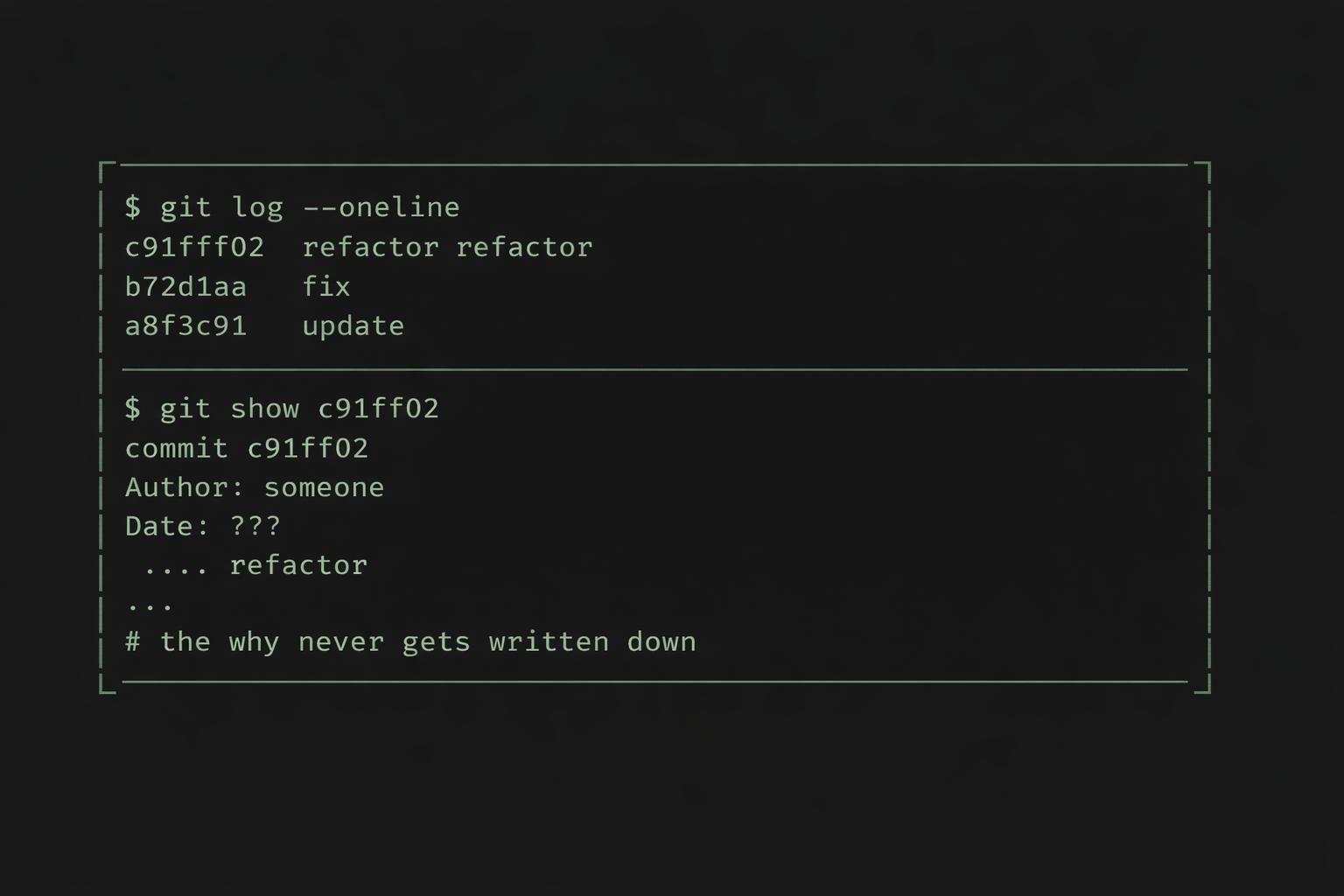
But what I very rarely do, is document the why. All the design patterns and strategies, DRY and KISS, Tell don’t ask, SOLID, the libs and the procedures. They help to make things recognizable.
I never document the why.
TL;DR
Working with AI a lot in the last months, I introduced Specification-First Agentic Development,
A methodology for structured, traceable AI-assisted software development
for myself. Have a look onto github repo for the implementation details and the outcome.
Religious wars
You may remember the religious discussions about “what to document”. Use fancy features in your IDE to auto generate documentation of classes and/ or methods that actually have no value at all. Having something like this:
/// <summary>
/// Gets a blue collar worker
/// </summary>
/// <param name="logger"></param>
/// <param name="blueCollarWorkerAdapter"></param>
public class GetBlueCollarWorkerRequestHandler(
    ILogger<GetBlueCollarWorkerRequestHandler> logger,
    IBlueCollarWorkerAdapter blueCollarWorkerAdapter) : IRequestHandler<GetBlueCollarWorkerRequest, GetBlueCollarWorkerResponse>
{
    public async Task<GetBlueCollarWorkerResponse> Handle(
        GetBlueCollarWorkerRequest request,
        CancellationToken cancellationToken)
Okay, when the method is called “Handle” and the class is called ” GetBlueCollarWorkerRequestHandler I really don’t need this “Gets a Blue Collar Worker” documentation. So mainly I personally document two kind of things:
- official interfaces: swagger/ rest api, nuget/ npm/ whatever packages, libs
- problematic areas: when I needed to write something that is not understandable, I need to document my decisions, mostly with links to sources
Sometimes that tells the story, but this does not help to get an overview about the decisions of a program. Documentation of the “why” takes time. I use documentation software like Arc42 that leverages Architecture Decision Records. But this is outside of the code in an own repository. And even this only declares architectural thoughts and directions. It may not necessarily mean to define the decisions taken when implementing certain features.
Usual problem
As a result, six months after having shipped features, nobody remembers what decisions had been taken why. Sure, let’s call this guy with the last commit. If he’s still in the company. And if he is, let’s see if he remembers.
In a well structured program, usually this is not going to break my neck. But there is risk and wasting time. When there is nobody remembering, then hopefully the automatic tests will hold their promise to catch my mistakes.
Developer’s Work changes
We all know, the work of Developers changes rapidly. From Stack Overflow Copy Work (No, of course I never did it) to usage of chatgpt and copy it from there (okay, I lied, did both) to use Claude or Codex in the IDE and let the AI write the code.
When I started with this kind of coding, I guess, I had the usual problems everybody had.
- Claude just implements things. Lots of code. Am I still willing to read all the mess or do I just believe it’s good enough?
- using claude.md and coding principles and still see, Claude sometimes just ignores it.
- Having very well structured code Claude is able to produce pretty good results
- Having bad code Claude doesn’t make anything better
- Having a complexity that exceeds a certain degree, Claude starts to do weird things
- Just “let him do” is a pretty bad idea even if I can do three or more things side by side
- Changing the context for all the parallel topics is hard for humans.
When working with Claude in ZED, VsCode and Rider, I noticed these recurring topics coming up:
- when Claude does not work in IDE anymore, the context is completely unclear. So I waste a lot of token of my subscriptions to get back to the point where I have been. And Claude is kind of bulky when restarting
- Having long threads with Claude in IDE to straighten out what needs to be done creates a cluttered chat history. When this is gone, it is really cumbersome to explain all the stuff again.
- Explaining all the past’s features even extends my frustration
Specification-First Agentic Development
I felt my approach is simply not good enough. It does not leverage what is possible with an AI that would document whatever I want without complaining. Like I would do as a developer not willing to keep the documentation up-to-date when changes happen.
The Idea
Instead of staying in the IDE and trying to keep track, there is the need for more constructive approach. All needs to be written down. The AI needs to understand where he was and what do to. I need to be able to keep track at all the changes, things that need to be done and stuff that is already finished.
Phases
Let’s think this different. The IDE’s Claude is always willing to “just do”. So the procedure for me looks like this:
- Have a project in Claude Web
- Discussion new things
- Build a rough plan and create a md document out of it
- Moving this file to the IDE. Let claude in IDE double check the document and ask questions and solve them if there are any
- Move this md to planned.
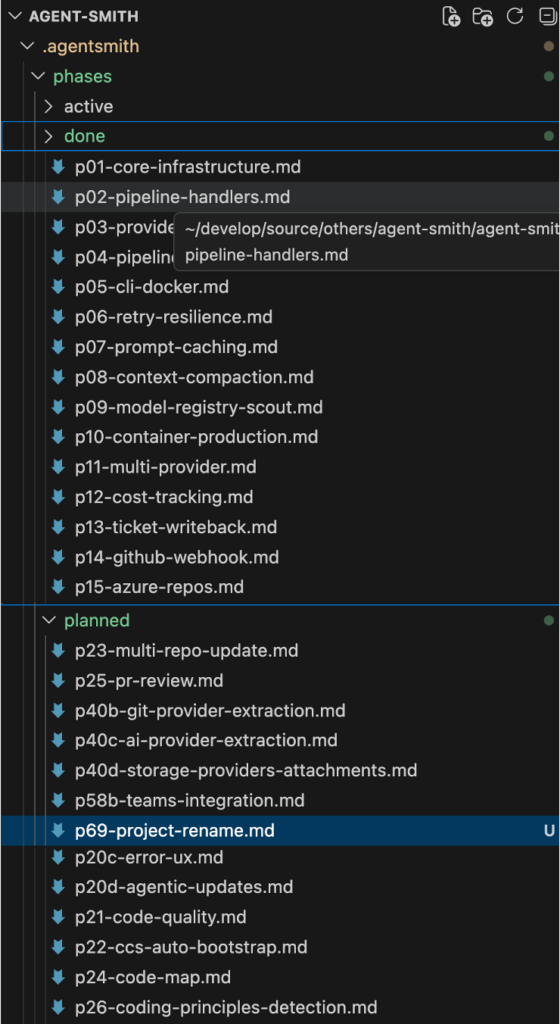
When it is time to implement phases, even parallel, in claude.md there is a clear strategy what to do. Claude always know which phases are there and how to handle them.
# Claude Code Instructions

## Context Files (read in this order)

1. `.agentsmith/context.yaml` — architecture, stack, integrations, phase status
2. `.agentsmith/coding-principles.md` — code quality rules (ALWAYS follow)
3. `.agentsmith/phases/active/p{NN}-*.md` — prompt for the phase being implemented
4. `.agentsmith/runs/r{NN}-*.md` — prompt for the runs already implemented

## Phase Directory Structure

```
.agentsmith/phases/
├── done/       # completed phases (historical reference)
├── active/     # phase currently being worked on (max 1)
└── planned/    # upcoming phases with requirements
```

## Implementation Workflow (follow this order for every phase)

1. **Write phase prompt first** — create `.agentsmith/phases/planned/p{NN}-slug.md` with requirements, scope, and file summary BEFORE writing any code. This is mandatory, no exceptions.
2. **Move to active** — move the phase file from `planned/` to `active/` when starting work
3. **Enter plan mode** — explore codebase, design approach, get user approval before coding
4. **Implement step by step** — contracts/models first, then implementation, then DI wiring, then tests
5. **Build after each step** — `dotnet build`, fix errors immediately
6. **Run ALL tests** — `dotnet test`, ensure 0 failures before moving on
7. **Log decisions** — append design decisions to `.agentsmith/decisions.md` under `## p{NN}: Phase Title`. Each decision: what was chosen, what alternatives were considered, and why. This is mandatory for every phase.
8. **Update `.agentsmith/context.yaml`** — move phase from `planned`/`active` to `done`
9. **Move to done** — move the phase file from `active/` to `done/`
10. **Commit** — one commit per phase, descriptive message
With that, it is pretty easy to keep track even after restart of my machine. It allows for parallism of phase execution. And it is self-documentary.
Decisions
Where to put the decisions? Okay, there is a plan, but it would be great to have a condensed list of decisions that had been taken in any phase. With point 7 in Implementation workflow, Claude will always update the decisions.md in the repo.
# Decision Log

...

## p66: Docs Enhancement — Self-Documentation & Multi-Agent Orchestration
- [Architecture] DESIGN.md placed in docs/ not project root — it is a docs-site concern, not product code
- [Tooling] CSS-only theme overrides via extra_css, no custom MkDocs templates — keeps MkDocs upgrades safe
- [TradeOff] Content first, styling second — missing content is a blocker, imperfect styling is not
- [Implementation] Reuse existing fix-and-feature.md instead of creating separate fix-bug.md — page already covers both pipelines

## p67: API Scan Compression & ZAP Fix
- [Architecture] Category slicing (auth/design/runtime) instead of finding compression — findings are already compact at ~90 chars/piece, compression would lose information. Slicing routes findings to the right skill without data loss.
- [Tooling] WorkDir as optional ToolRunRequest parameter instead of Docker volume mounts — volume mounts would add complexity to DockerToolRunner. WorkDir + tar extraction to / is simpler and backward compatible (Nuclei/Spectral unaffected).
- [Implementation] Inject target URL into swagger servers[] instead of pinning ZAP version — ZAP needs absolute URLs, many OpenAPI specs only have relative "/". Patching the spec before copy is non-invasive.
- [TradeOff] Remove --auto flag entirely instead of finding replacement — --auto was never a valid option on ZAP's Python wrapper scripts. The scripts are non-interactive by default in Docker containers.
- [Implementation] Skip DAST skills on ZAP failure via ZapFailed flag — avoids wasting 2 LLM calls on empty input. Flag is checked in ApiSecurityTriageHandler before building the skill graph.
Save some token and speed it up
Obviously having all these documents in the repo, I do not want to force Claude to read all these documents all the time. Here is what context.yaml does for use.
It contains information about how to implement the program. Architecture, stack, meta, integrations, quality & behaviours to describe the program. Claude knows what kind of program it is and will write more appropriate code for it.
# yaml-language-server: $schema=context.schema.json
meta:
  project: agent-smith
  version: 1.0.0
  type: [agent, pipeline]
  purpose: "Self-hosted AI orchestration framework: code, legal, security, workflows."

stack:
  runtime: .NET 8
  lang: C#
  infra: [Docker, K8s, Redis]
  testing: [xUnit, Moq, FluentAssertions]
  sdks: [Anthropic, OpenAI, Google-Gemini, Octokit, LibGit2Sharp, YamlDotNet]

arch:
  style: [CleanArch]
  patterns: [Command/Handler, Pipeline, Factory, Strategy, Adapter]
  layers:
    - Domain        # entities, value objects — no deps
    - Contracts   # interfaces, DTOs, config models
    - Application   # handlers, pipeline executor, use cases
    - Infrastructure # AI providers, git, tickets, Redis bus
    - Host          # CLI entry point, DI wiring
    - Dispatcher    # Slack gateway, job spawning, intent routing
Additionally it contains all the phases. That means, Claude knows directly what kind of features had been implemented just by reading the context.yaml. With this compressed information it also knows in which phase document to look for specific information.
state:
  done:
    p01: "Solution structure, domain entities, contracts, YAML config loader"
    p02: "Command/Handler pattern: 9 context records, 9 handler stubs, CommandExecutor"
    p03: "Providers: AzureDevOps+GitHub tickets, Local+GitHub source, Claude agentic loop"
    p04: "Pipeline execution: IntentParser, PipelineExecutor, ProcessTicketUseCase, DI wiring"
    p05: "CLI (System.CommandLine), Dockerfile, docker-compose, DI integration test"
    p06: "Resilience: Polly retry with exponential backoff + jitter"
    p07: "Prompt caching: CacheConfig, TokenUsageTracker, system prompt optimization"
    p08: "Context compaction: ClaudeContextCompactor, FileReadTracker deduplication"
    p09: "Model registry: per-task model selection, ScoutAgent for codebase discovery"
    p10: "Production container: headless mode, Docker hardening, health checks"
General concept
The concept of phases and context.yaml in combination with the folder structure and coding principles/ claude.md is a general concept. You can apply it easily in your own setup with the files in question.
Have a look at this github repo for just copying out the files you are interested in and start it up. There is a prompt for your AI at hand to generate the structures for a quick start in the Readme.
Andrej Karpathy noticed the same gap
Karpathy wrote recently about using LLMs to build personal knowledge bases. When I recognized it I need to compare his thoughts against the implementation approach of Specification-First Agentic Development.
For Andrej, it is collecting external material into a raw/ directory, letting the LLM compile it into a linked markdown wiki, then running Q&A against it. Obsidian is used as the frontend. Markdown files are used in a directory the LLM writes and humans read. I do really like this pattern.
The structural parallel here is obvious. But there’s a key difference.
Karpathy collects external knowledge. Papers, articles, datasets. These things that exist in the world and get pulled in manually.
Specification-First Agentic Development has been defined to have the internal knowledge being persisted while producing the code with the documentation and the reasoning.
Benefits
Beside the obvious advantage to save tokens, have a more straight forward way of development, being able to execute tasks in parallel and have architectural decisions for every phase, you may want to have a look at the documentation of Agent Smith.
This documentation has been fully generated by Claude with the phases information. This is not that dramatically new, actually. Guess lots of people are already done it before.
How long did it take? It was just something about 15 minutes. Of course it was another phase following this paradigm.
# Phase 53: Documentation Site

## Goal: Technical documentation at docs.agent-smith.org
...
Complete file is here.
As all of the features, bugfixes, ideas and decisions are documented in the code anyway, it is not surprising that it can create the documentation rapidly with a pretty precise content. But I really celebrated it. It took a lot of burden from my shoulders that I didn’t need to do it manually. And from the content point of view, it is pretty comprehensive and sensible documentation. Just because of all the information is already available to the git repository.
Finally
Specification-First Agentic Development is just how the work is structured. It defines phases directly in code that produces an always straight forward pattern of development that includes the plan, the decisions and the reasoning.
Have a look at the github repo.